
How to Register for a Workshop In Student Hub
How to Register for a Workshop
- Log into my.unm.edu and click on “Student Hub” under your Student Life tab:
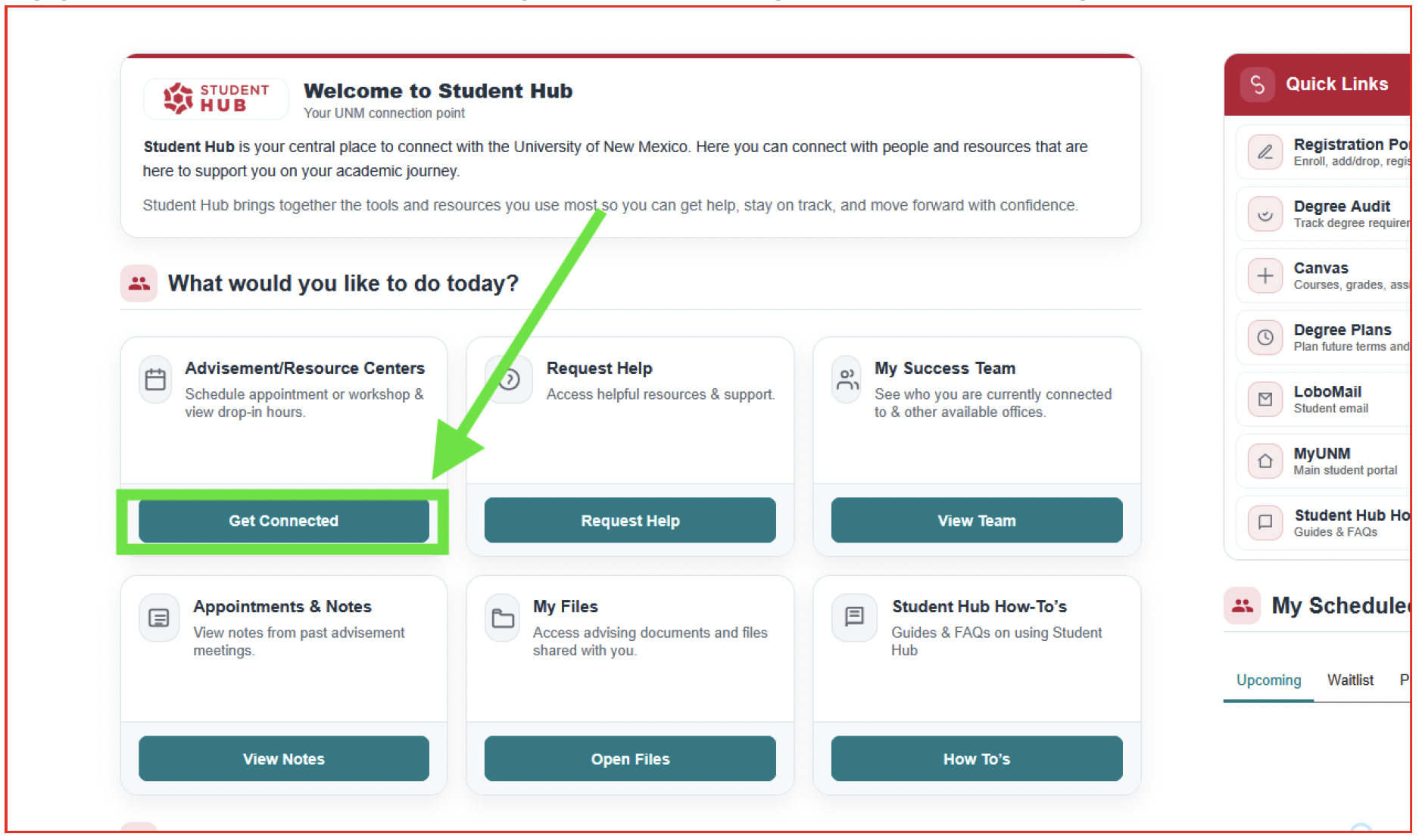
- From your landing page, in the button labeled Advisement/Resource Centers – Schedule appointment or workshop & view drop-in hours, click “Get Connected”:
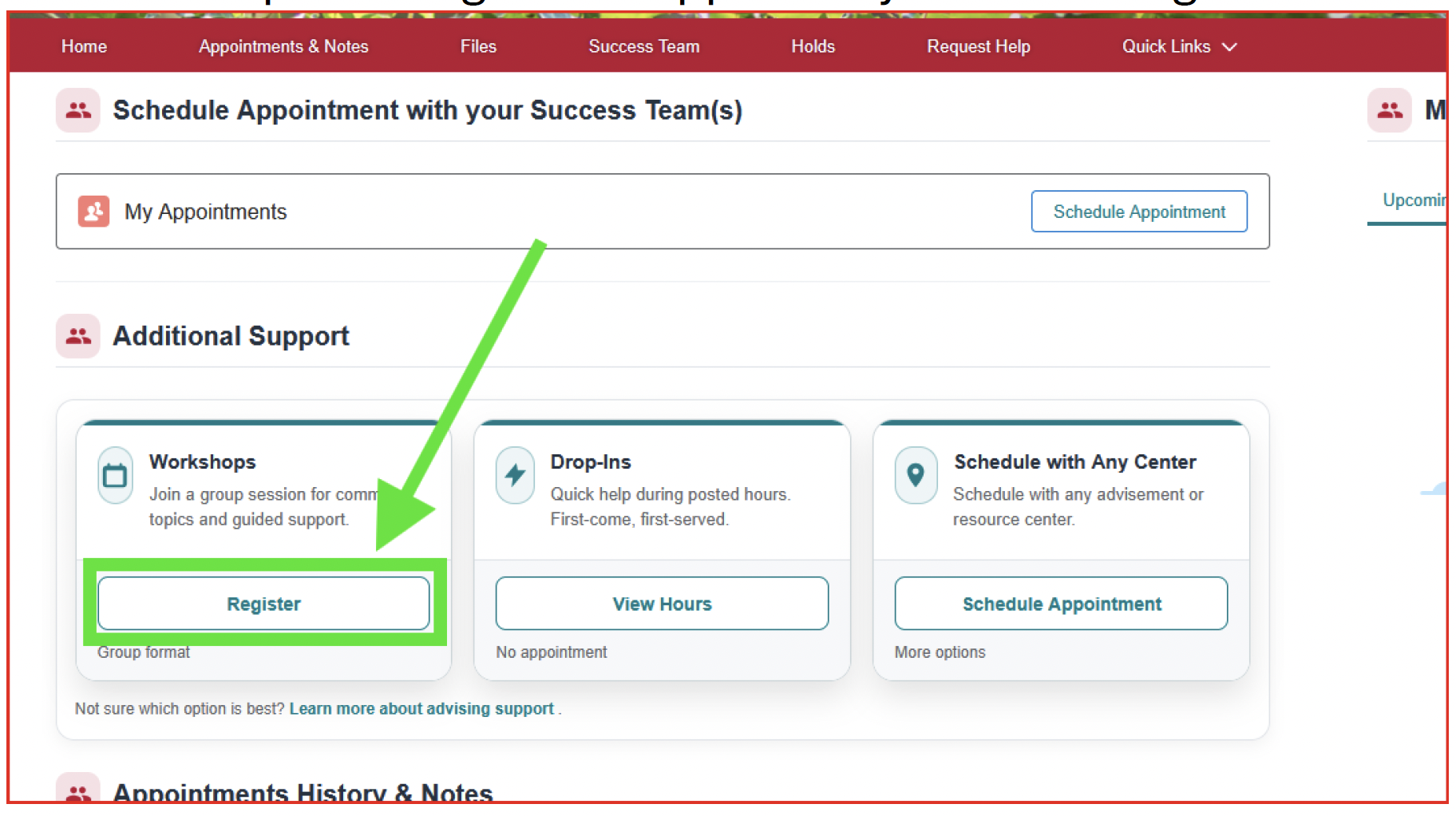
- From the Appointments & Notes page, in the button labeled Workshops – Join a group session for common topics and guided support, click “Register”:
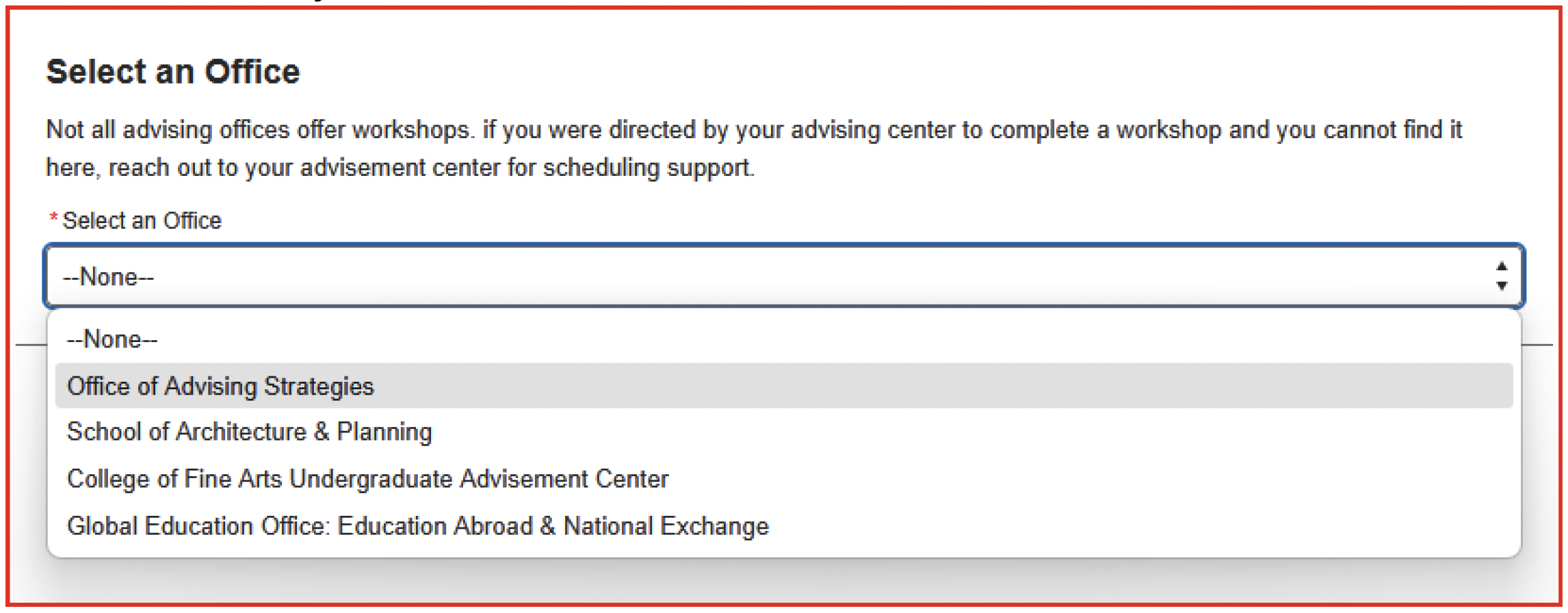
- In the Select an Office drop down, be sure to click on the College of Arts & Sciences. You will only see our office if we still have workshop seats still available. Then hit “Next”:
- You will see all options that our office has for workshops. Make sure you select the “Next Semester Planning Workshop” or “Graduation Application Workshop” depending on which one you are being asked to complete, click the bubble, and hit “Register for your Workshop”:
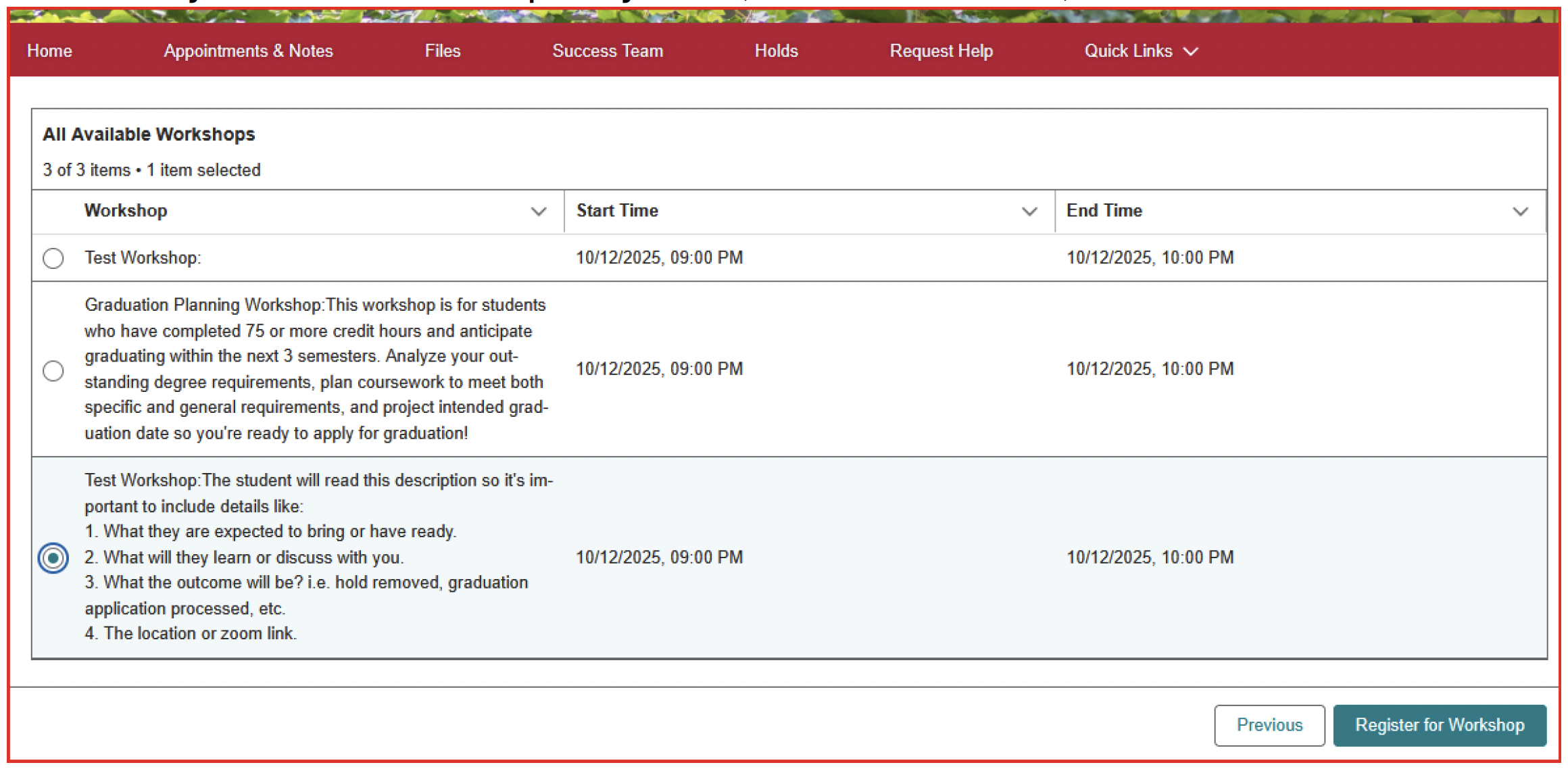
- You will then get a page that contains all the details:
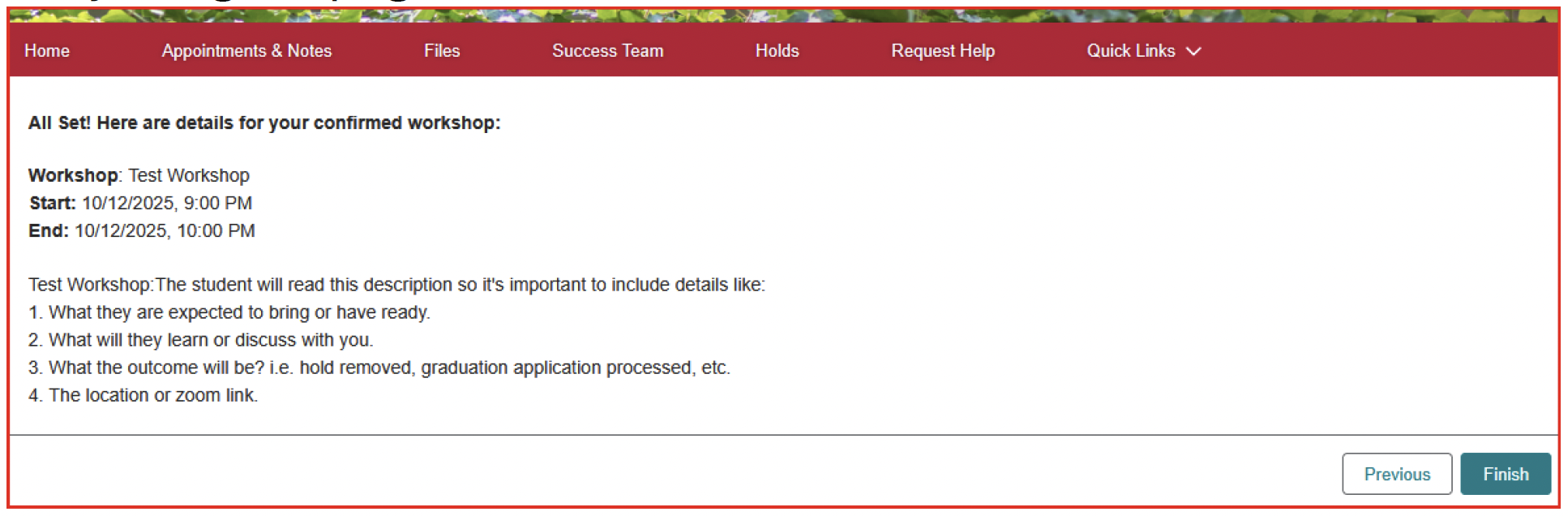
NOTE: If you select a workshop and receive a message that says you are already registered for a workshop, this actually means that the workshop that you selected may already be full, so please return to the previous page and scroll down to select a different date and time.

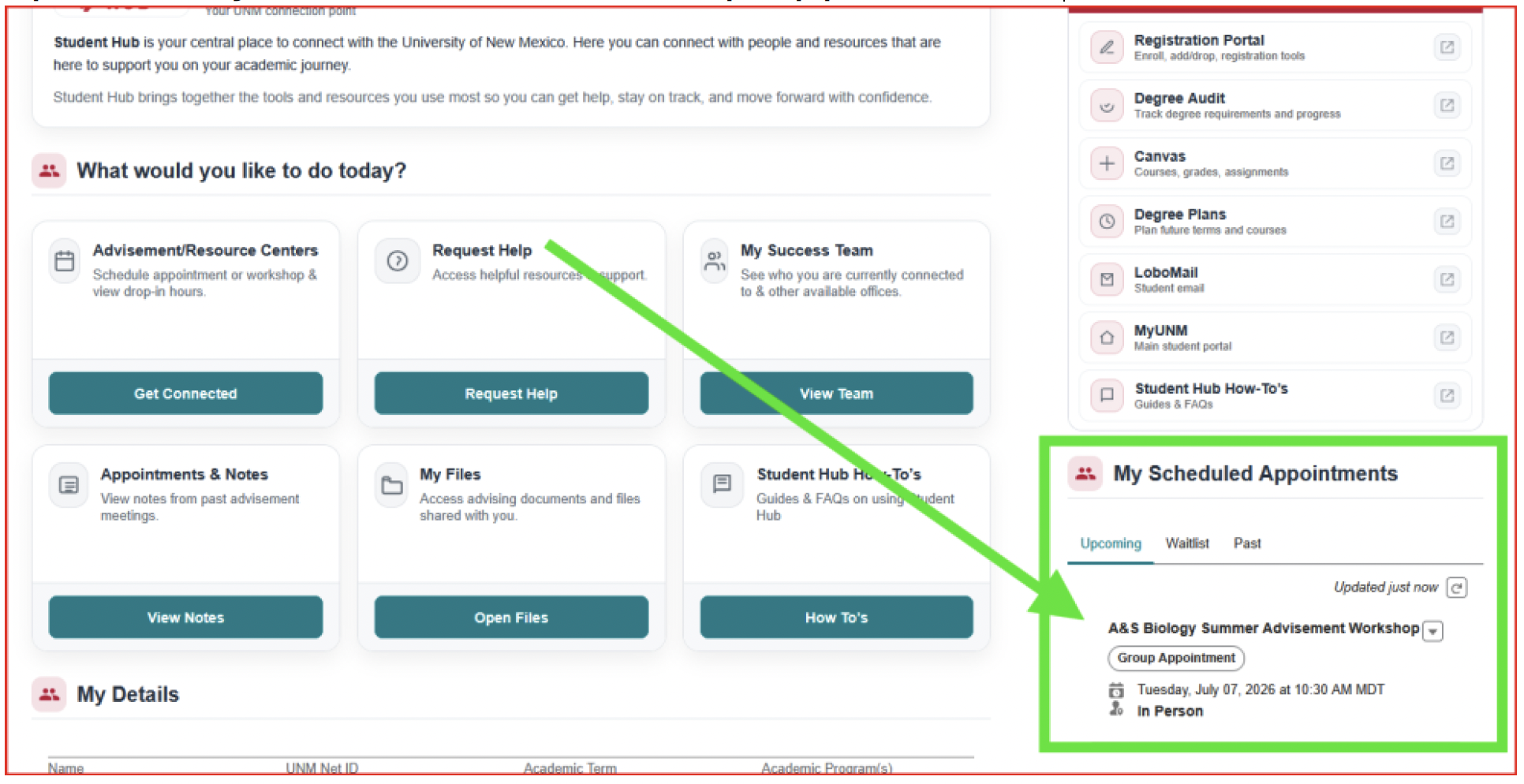
- On your homepage, it will appear under “My Scheduled Appointments” with the details but specifically be labeled as a Group Appointment.
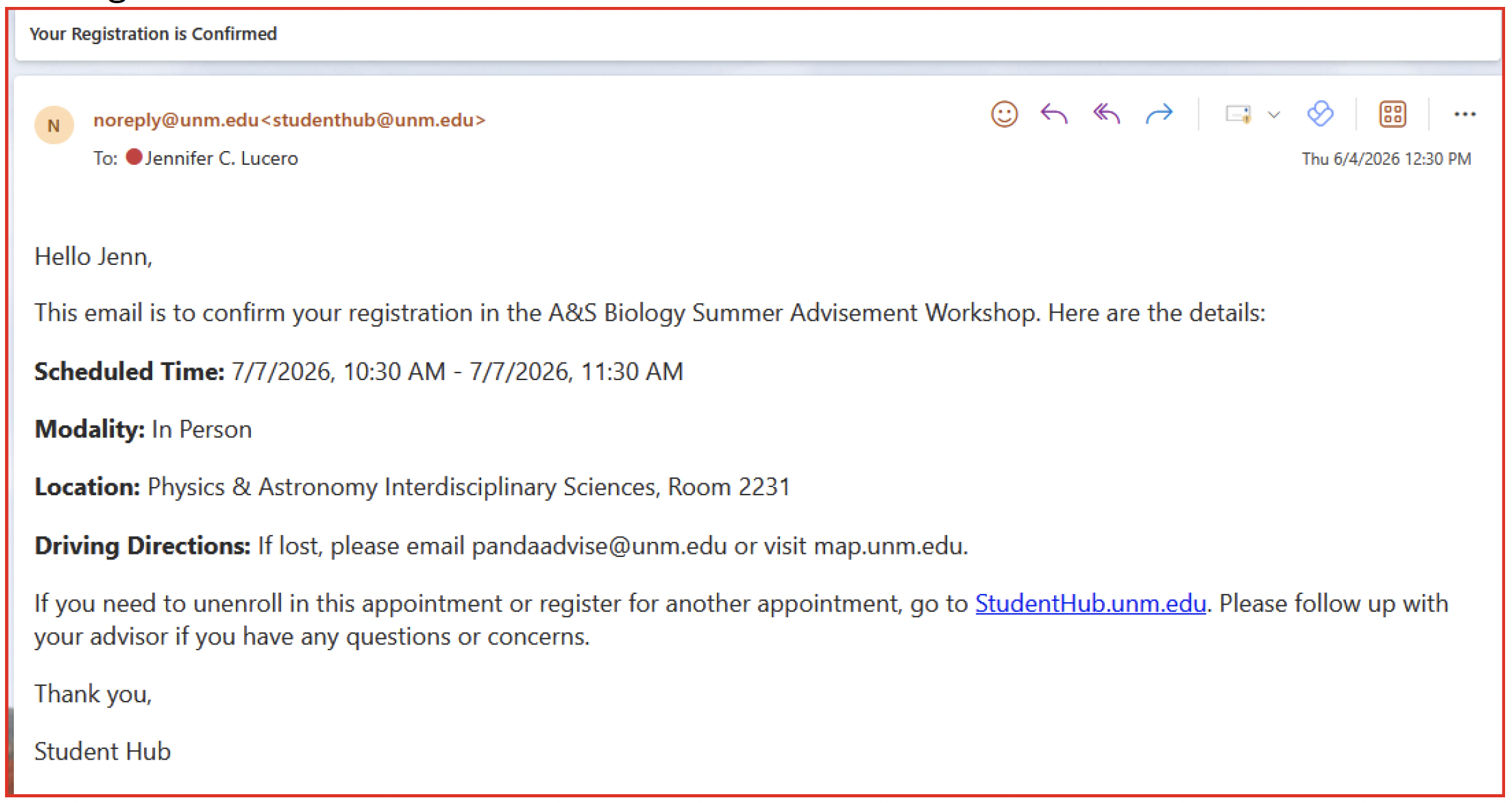
- You should also be sent a confirmation email with the details: Scheduled Time, Modality, Location, and Driving Directions.
For more information on how to utilize Student Hub or for any questions or technical issues, please visit UNM's Student Hub Customer Relationship Management webpage.